
A Step-by-Step ShowcaseAI Walkthrough
Creating high-converting marketing videos used to be a significant challenge for businesses of all sizes. Traditionally, the process required a written script, expensive editing software, and often a professional designer to ensure the final product looked polished. Even with the advent of modern AI tools, many platforms still require users to master “prompt engineering”—writing detailed, complex instructions to describe scenes and storytelling. For many sellers, this becomes a confusing and time-consuming barrier to entry.
However, at ShowcaseAI, product promotion should be simple. As a business owner, you already understand your product’s value better than anyone. The real requirement isn’t learning how to write code or prompts; it is turning that product into a professional advertisement quickly and consistently. Instead of writing instructions for the video, our guided system automatically builds the advertisement. The user only selects a template and uploads the product image. The platform handles the layout, animation, and presentation.
This guide explains the exact process of creating a marketing video without writing a single prompt.
Open the Platform
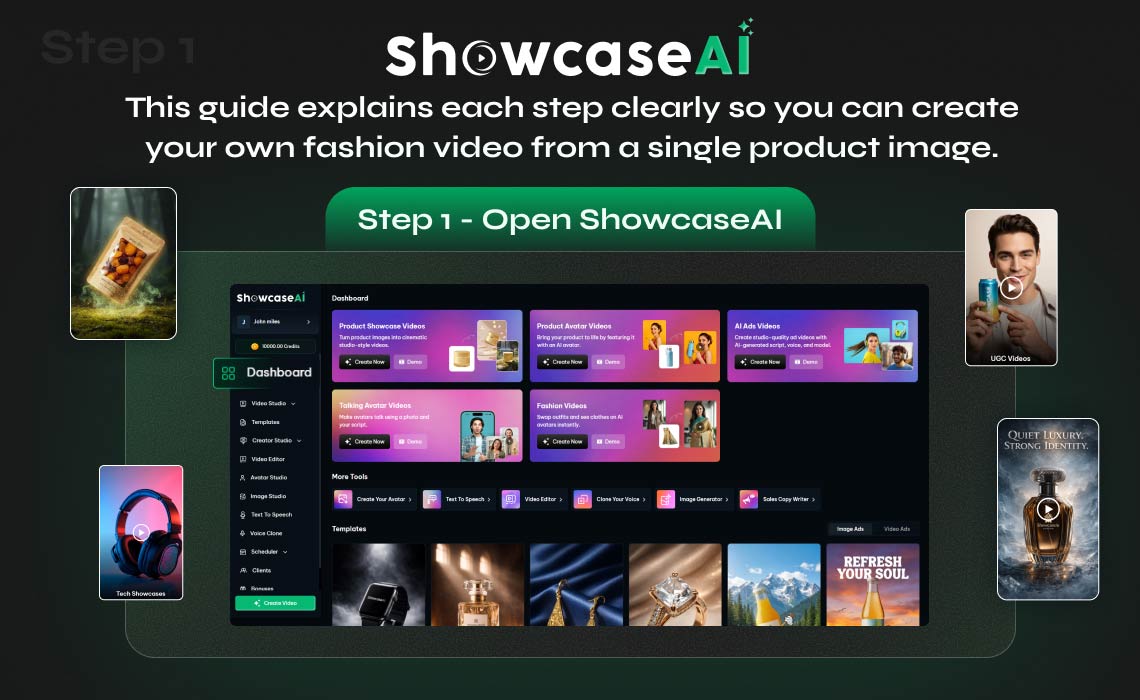
First, open Showcase AI and access your account dashboard. The dashboard is the main workspace for creating, organizing, and managing all your video projects. Unlike traditional production environments, you do not need complex editing software or a confusing video timeline. Everything is organized through a guided interface designed specifically for efficient marketing video creation.
Click Templates
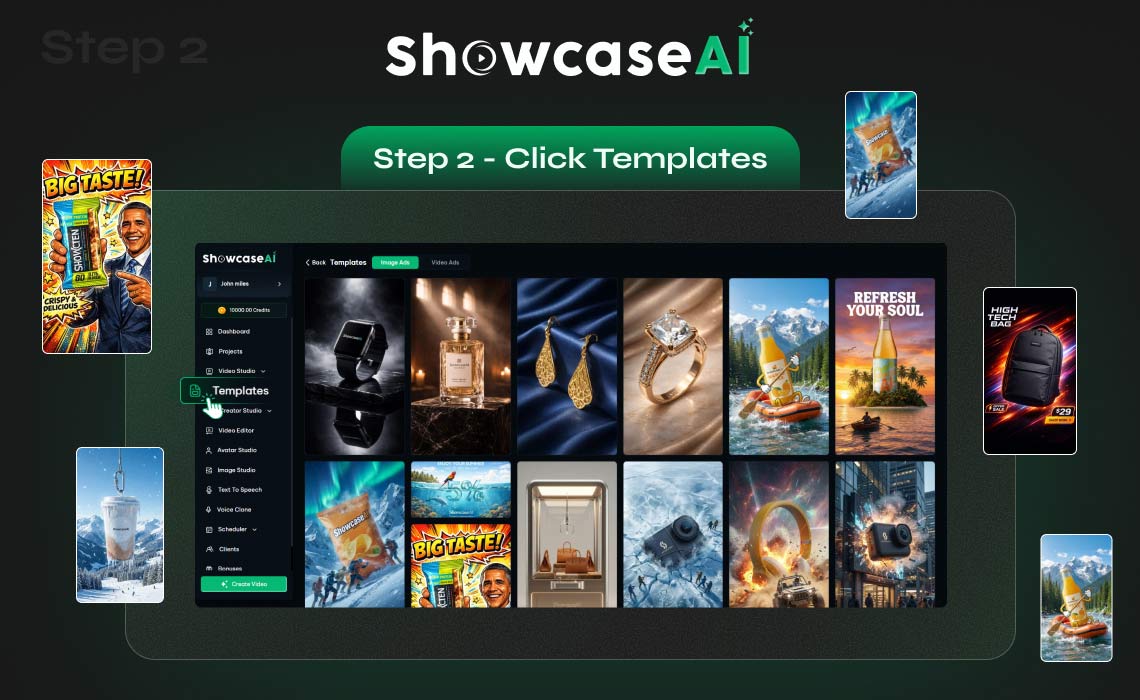
From the top menu, click Templates. This section is the heart of the creative engine, containing a curated library of pre-designed marketing layouts. Instead of starting from a blank screen and wondering where to start, you begin with ready-made advertising structures. These templates already include professional scene flow, smooth transitions, and strategic caption placements optimized specifically for promotional impact.
Switch to the Video Ads Tab
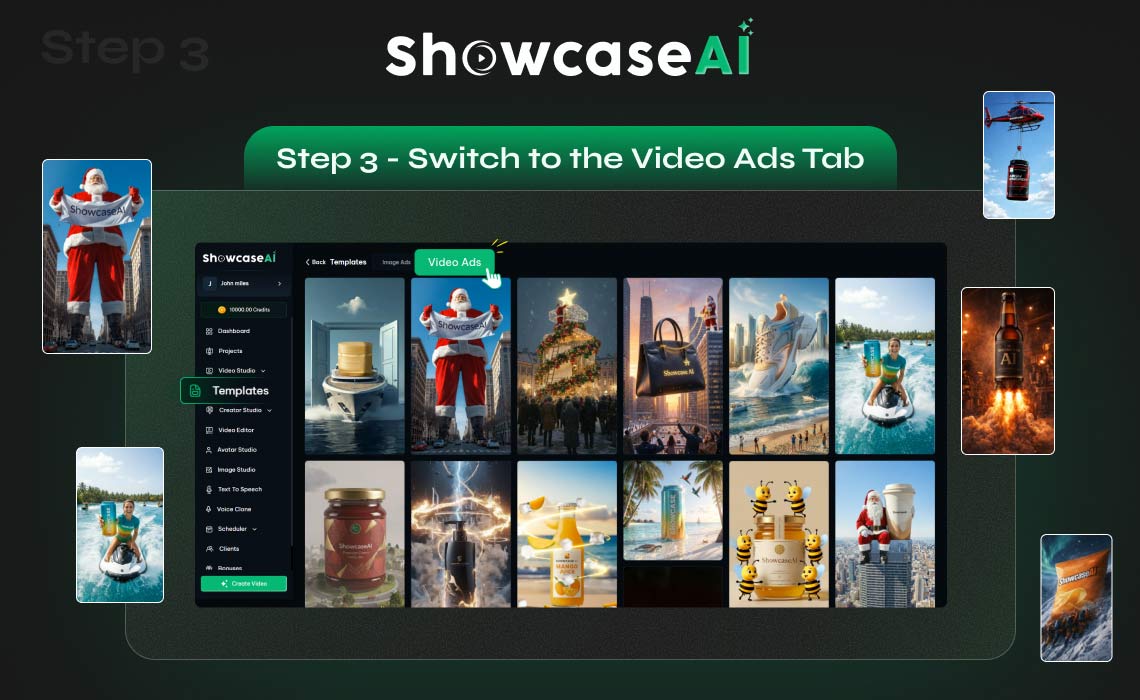
After opening the general templates area, switch to the Video Ads tab to explore ready-made templates. Here you will see multiple options designed specifically for product marketing. Each template represents a different promotional style, pacing, and visual presentation format. The important point here is that you are not designing the ad from scratch yourself. Instead, you are choosing a proven marketing format that already works for your industry.
Browse and Select a Template
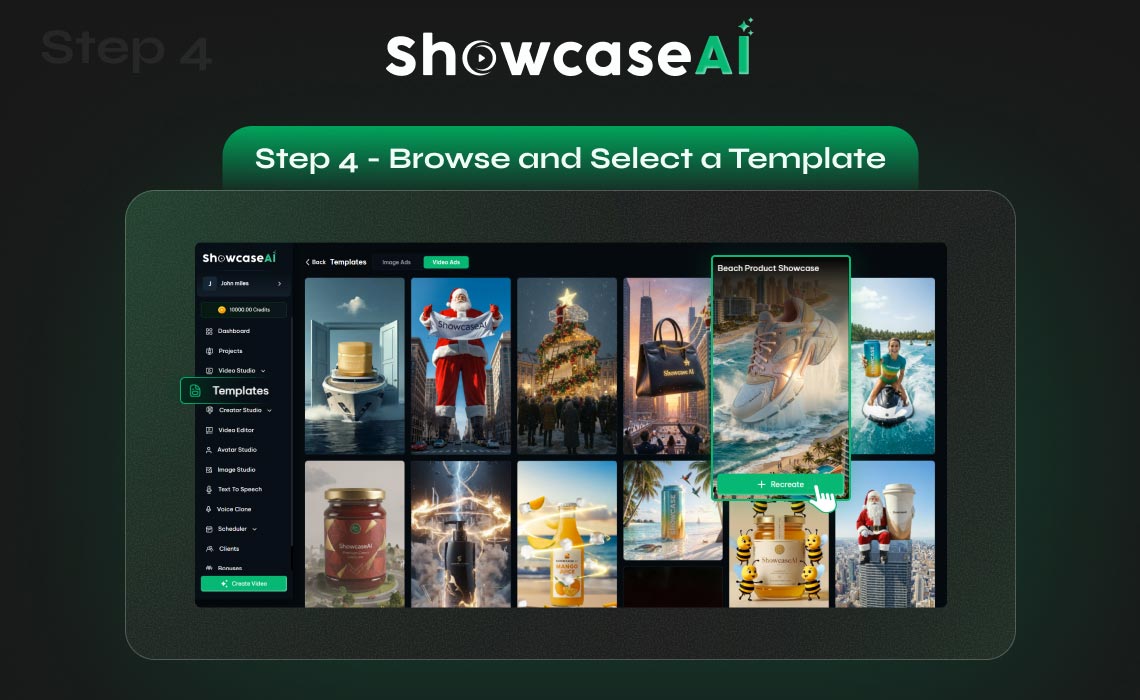
Browse through the options. Take a moment to see which visual style matches your brand identity. When you find one you like, hover over it and click Recreate. By selecting this option, you are instructing the AI to generate a brand-new advertisement using your specific product data inside that professional template structure.
Start Generating
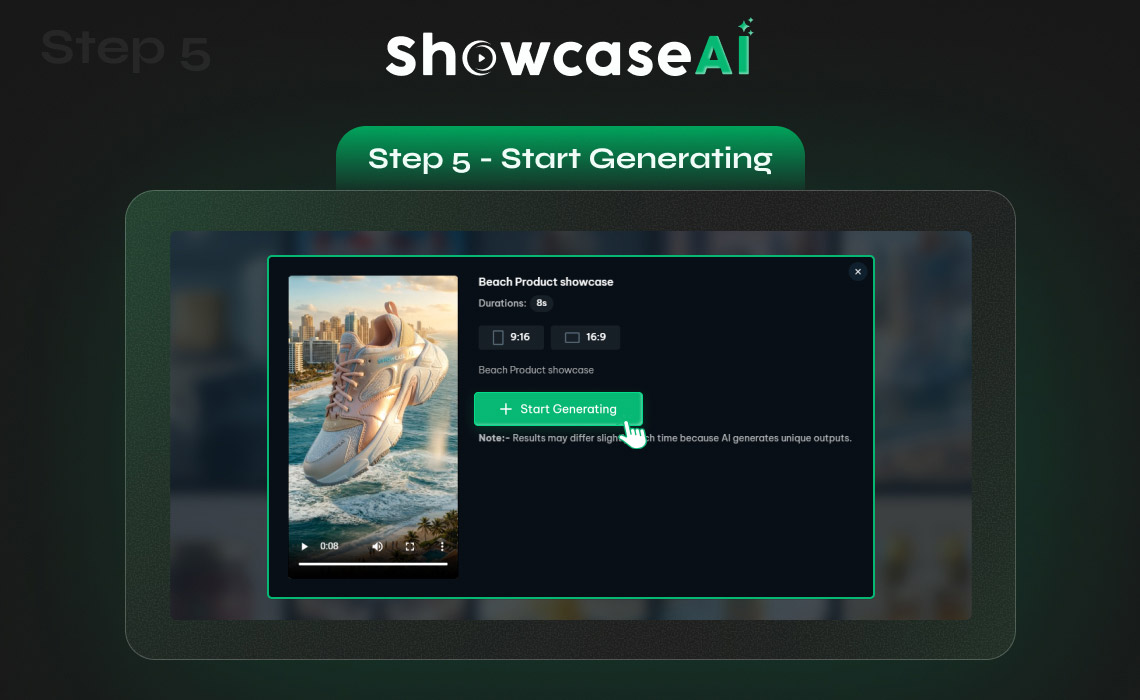
Immediately after clicking recreate, a pop-up window will appear. This window serves as your final configuration hub. Click Start Generating. This action begins the automated creation process. The platform will now ask for simple setup options rather than a written script or prompt, ensuring the workflow remains accessible and fast.
Setup Options and Product Image Upload
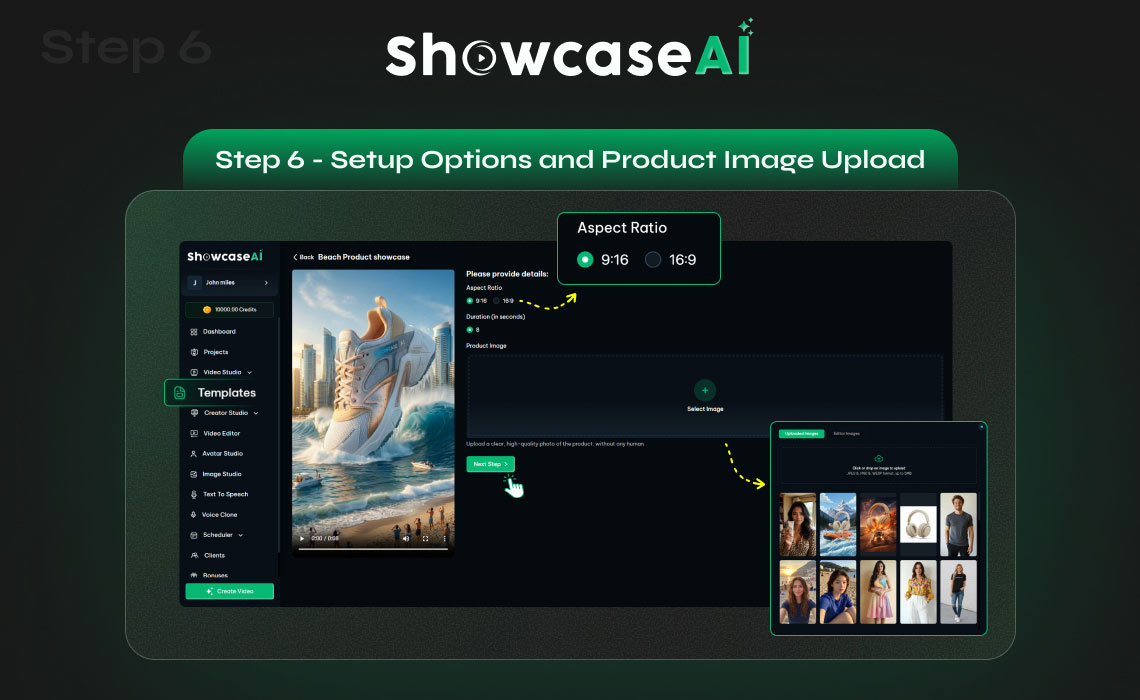
Once you initiate the process, the system combines the technical setup with your visual assets. Choose your aspect ratio and video duration. The aspect ratio determines where the video will be used—vertical formats are perfect for Instagram Reels, TikTok, and YouTube Shorts, while other ratios fit standard Facebook feeds or website product pages. Next, upload your product image. This is the core visual element of your advertisement. You can upload a new file or select one from your library and continue. Once uploaded, the system will animate and present your product inside the template scenes automatically. No manual animation, layering, or positioning is required from your side.
Review the AI-Generated Preview
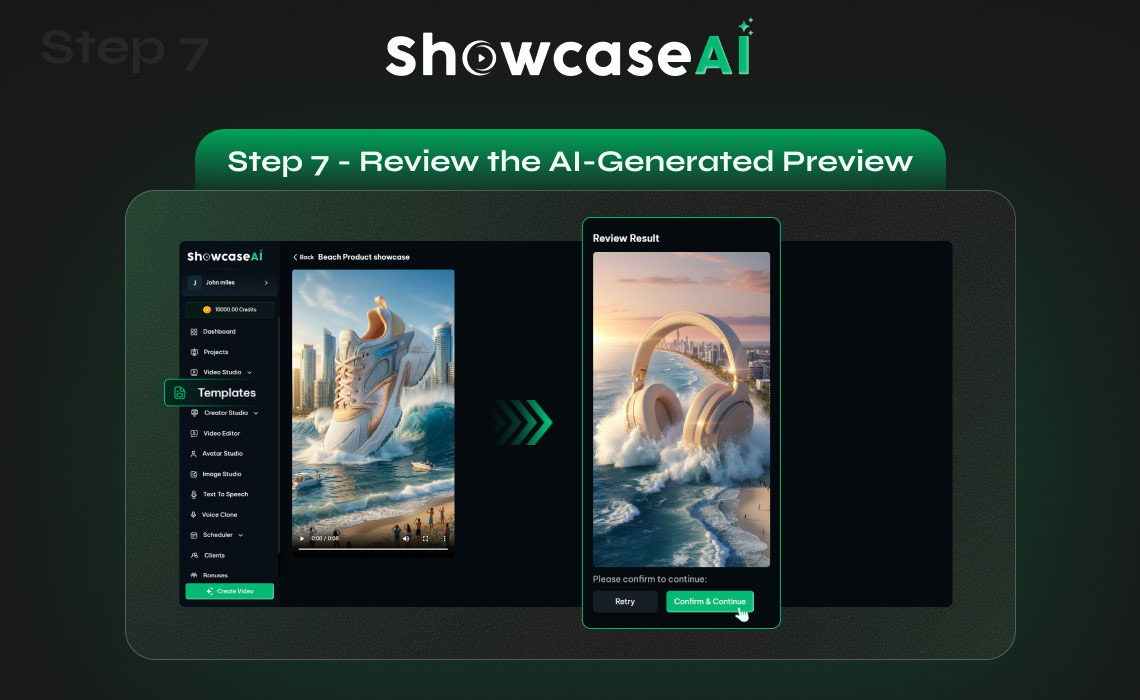
After processing your product image, the platform creates an AI-generated preview of your advertisement. Review the preview carefully to make sure the presentation matches your expectations and brand style.
You now have two options:
Confirm: If everything looks correct, confirm the render to proceed with the final video creation.
Regenerate: If you want a different creative variation or visual angle, regenerate to produce another version.
Once confirmed, the system automatically begins generating the final video. During this stage, the platform combines the selected template with your product image to build animated scenes, captions, transitions, and highlights. No manual editing, timeline adjustments, or caption placement is required — the advertisement is assembled entirely by the system.
Your Marketing Video Is Ready
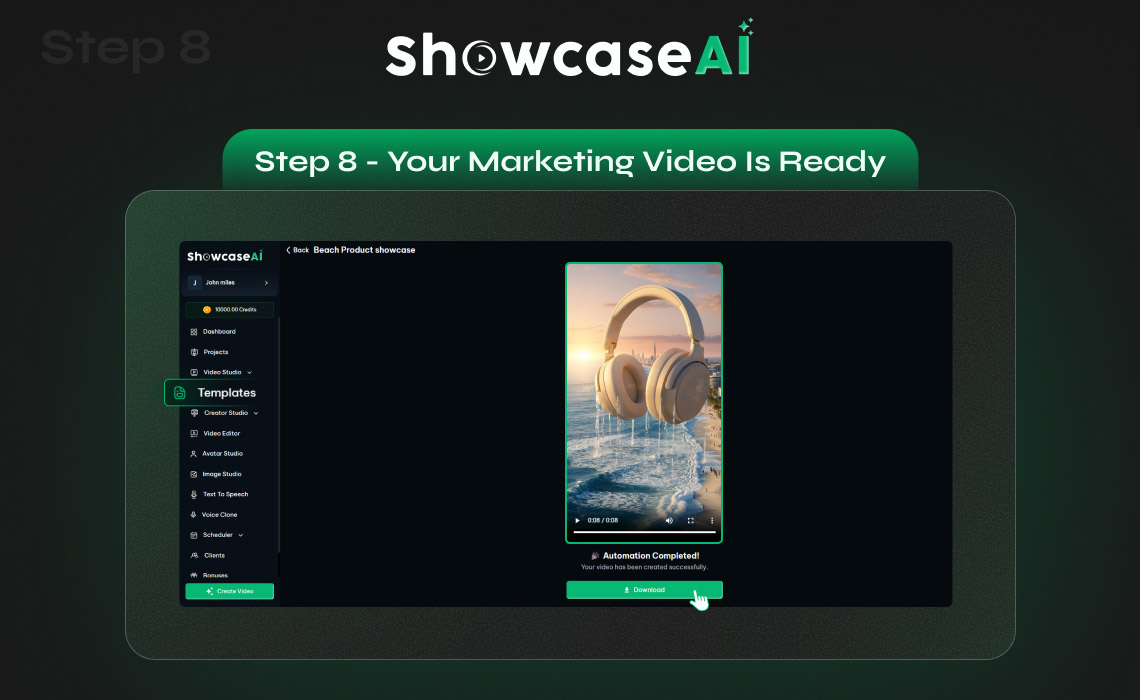
And just like that, your product marketing video is ready. You now have a high-resolution, professional promotional video prepared without any manual editing, scripting, or prompt writing. And that’s it—a professional AI video, created without prompts.
Why This Method Matters
Most businesses struggle with video marketing because traditional production requires immense time and technical skills. Writing scripts and editing footage slows down your ability to react to market trends. This workflow changes the process completely by shifting the focus from production work to actual marketing. By leveraging these automated tools, you ensure your brand remains competitive and visual-first in an increasingly crowded marketplace.
Conclusion
Creating a professional product advertisement no longer requires complex tools or creative writing skills. By using ready-made templates and automated generation, businesses can produce marketing videos quickly and consistently. You do not need to describe scenes, edit footage, or write a single prompt. You only choose a template, upload the image, review the preview, and generate the final video.